
Fake GPS Location- LocaEdit
VDL TechMaps & Navigation
4.1139.00 Reviews
- Version
- 1.7.2
- Installs
- 1.00M
- Age Rating
- Everyone
Screenshots
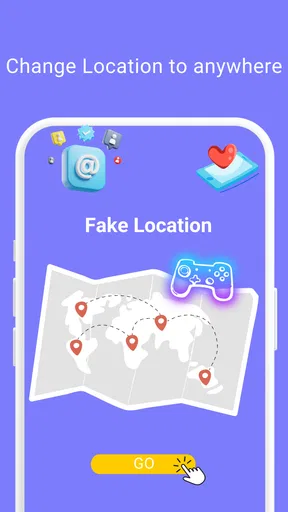
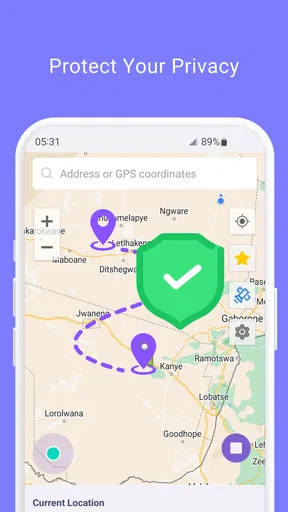
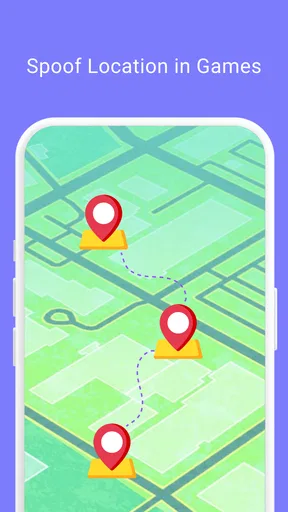
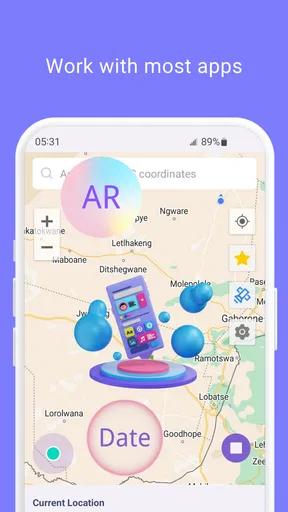
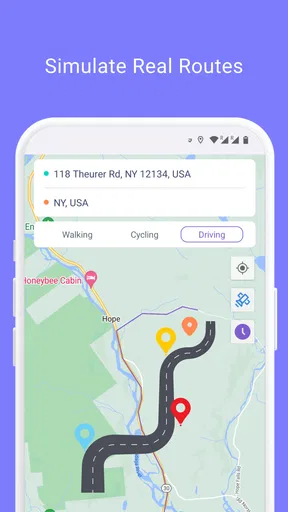
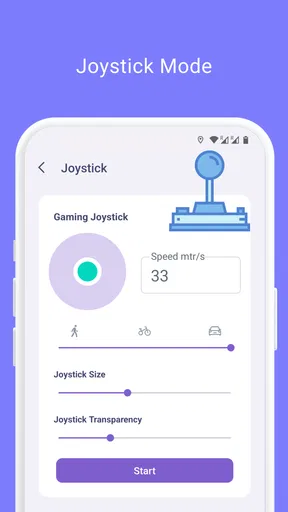
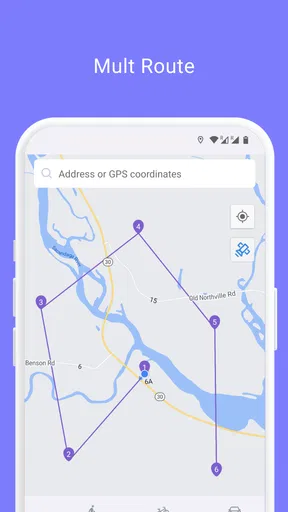
Our Review of Fake GPS Location- LocaEdit
 Analysis by Appyee
I’d judge a location-changing app by a few practical questions: can I choose a place without a lot of fiddling, does it suit the app I want to test, and am I comfortable with the limits and risks of presenting a false location? Fake GPS Location - LocaEdit is aimed at people who want to set a different GPS position from a map, rather than navigate to a destination. That distinction matters: it is a tool for changing what a device reports, not a substitute for turn-by-turn directions or a privacy service that hides all online activity.
LocaEdit is a free Maps & Navigation app from Mobispeedy, with optional in-app purchases. It has a 4.2 average from around 42,000 ratings, and more than a million installs. The current version is 1.2.9, it is rated for Everyone, and it runs on Android 6.0 or later. Those details make it easy to consider, but the right choice depends more on your purpose than on popularity: a developer checking a location-sensitive feature has a different need from someone who simply wants ordinary navigation.
Choose it for a specific location task
The strongest reason to try LocaEdit is that its central idea is easy to understand: pick a place on a map and make that the location available to other apps. In the published description of my experience, I found the map-style approach straightforward, and the ability to save favorite places and simulate a route can make repeated tests less laborious. If you routinely need to check how an app behaves at a handful of locations, keeping those places ready is more useful than searching for each one every time.
Think of a realistic workday: you are testing a local discovery app and want to compare how its listings change between two neighborhoods. Rather than physically travelling back and forth, you can switch the reported point and inspect the app’s response. The useful insight is to treat each change as a controlled test: keep the destination consistent, check the target app after changing it, and distinguish a changed GPS position from other signals that an app may use. A different reported point does not guarantee every service will behave as if the device were physically there.
Where the map and saved places help
The map interface is a sensible fit for selecting a place visually. It can be quicker than entering a precise address when you only need to test a broad area, while a saved favorite is handy for locations you revisit. I would use favorites as a small test set rather than collecting a long list: a few clearly named places are easier to switch between and less likely to be confused during a comparison.
Route simulation has a more specialized use than simply changing a starting point. It may help when you are checking how a location-aware app responds as a position changes, rather than only how it looks at one fixed point. That makes it more relevant to testing than to casual browsing. I would still verify the result inside the app being tested; simulated movement is not proof that a service accepts the location or updates at the pace you expect.
When another kind of app is a better fit
For reaching a real destination, a conventional navigation app is the better choice: it is designed to guide an actual journey, while LocaEdit changes a reported location. For changing an apparent online region, a VPN is a different category of tool and may be more relevant to network-based restrictions; GPS spoofing alone should not be treated as a way to change every location signal or unlock every region-limited service. If your aim is app development, a platform’s own testing tools may also be preferable when you need repeatable, controlled results within a development workflow.
This difference also answers a common concern: setting a GPS point is not the same as moving the phone, changing an account’s home country, or guaranteeing access to content. Services can rely on more than one signal, and some may reject inconsistent information or restrict location manipulation under their rules. I would not rely on LocaEdit for a booking, payment, emergency response, attendance check, or anything where a correct real location matters. In those situations, use the actual location and the service’s normal settings.
What to weigh before installing
The app is free to start, but in-app purchases range from $2.99 to $39.99 per item. I would try the basic workflow before paying for anything, then decide whether the features you actually use justify an extra purchase. A higher-priced option is not automatically worthwhile if you only need to set a location occasionally. It is also sensible to check the purchase details in the app before confirming, so you know what is included and whether it matches your particular task.
There is some setup friction inherent in this type of tool: location spoofing may need to be enabled through Android’s developer settings, and that step can be unfamiliar to a first-time user. Follow the app’s current on-screen guidance carefully, and be prepared to return your device to its ordinary location settings when you are finished. If you are not comfortable changing system-level options, or you need a location tool that works without any configuration, this may not be the most convenient choice.
Another practical trade-off is trust. A location-changing app can influence what other apps receive, so I would avoid using it casually with services that make consequential decisions from location. For a low-stakes compatibility check or a clearly playful experiment, the risk is easier to manage; for an account, game, or service with strict location rules, the possibility of restrictions makes experimentation less attractive. Check the rules of the app you plan to use rather than assuming that a technically possible change is permitted.
A careful recommendation
I’d recommend LocaEdit to Android users who have a clear, low-stakes reason to test a different GPS point, especially if they want to revisit a few saved places or examine how an app responds along a route. It is less compelling for someone who just wants directions, expects to bypass every regional restriction, or needs dependable location for an important transaction. The deciding question is not whether changing a point is entertaining; it is whether the specific app you want to use can make use of that changed GPS signal and whether doing so fits its rules.
Have you ever wished you could teleport yourself to any location with just a tap? Well, with Fake GPS Location - LocaEdit, that sci-fi fantasy gets a playful and practical twist. Whether you’re trying to prank your friends or access geo-restricted content, this app might just be your new best friend.
Getting Started with Fake GPS Location - LocaEdit
Jumping into the world of Fake GPS Location - LocaEdit is pretty straightforward. First things first, you need to grab the app from your device's app store. Once installed, the interface is minimalistic and user-friendly, making it easy for anyone to navigate.
As soon as you open the app, you’re greeted with a map interface. It’s similar to your usual GPS apps, but here’s the fun part: you can manually set your location to anywhere in the world. Fancy a virtual trip to Paris, or maybe the vibrant streets of Tokyo? Just a couple of taps and voilà, you’re there!
Features that Stand Out
Now, let’s talk about what makes LocaEdit a must-try. The app isn’t just about changing your location; it’s packed with features that enhance its usability and fun factor. Here’s a quick rundown:
- Customizable Locations: You can set your preferred locations as favorites, making it easier to swap between them without the need to search again.
- Integration with Other Apps: Use LocaEdit alongside social media or other apps that require location services. Imagine checking in from the Great Wall of China!
- Route Simulation: This feature allows you to simulate movement from one point to another. Perfect for testing apps that require tracking or just for fooling your friends!
Using LocaEdit in Everyday Life
While it sounds like a novelty, there are practical uses for LocaEdit. Let’s say you’re a developer testing location-based apps, or perhaps you’re managing social media for a global brand and need to check local features. LocaEdit can be a handy tool.
Another scenario: you’re traveling and want to access content restricted to a specific region. Just set your location to the desired country, and you’re good to go. It’s that simple.
A Few Words of Caution
Of course, with great power comes great responsibility. While LocaEdit offers a lot of fun and utility, it’s important to use it ethically. Misusing location spoofing can lead to misleading situations or even violate terms of service on certain apps. Always play fair!
Final Thoughts
So, is Fake GPS Location - LocaEdit worth your time? Absolutely. Whether you’re in it for the fun factor or the practical applications, it’s a versatile app that delivers on its promises. The intuitive interface and feature-rich options make it a standout choice for anyone looking to play around with their location.
If you’re ready to explore the world from your couch—or just pull a fast one on your friends—give LocaEdit a try. With just a few taps, the world is your playground!
Verdict
Strengths of Fake GPS Location- LocaEdit
- User-friendly interface for easy navigation.
- Accurate location spoofing capabilities.
- Supports multiple geolocation options.
- Minimal battery consumption during use.
- Compatible with most apps that access location.
Limitations of Fake GPS Location- LocaEdit
- May violate terms of certain apps.
- Occasional GPS freezing issues.
- Limited support for older devices.
- Contains in-app advertisements.
- Privacy concerns if misused.
Similar Picks in This Category
View All
Uber - Request a ride
Uber Technologies, Inc.4.7


inDrive. Rides with fair fares
® SUOL INNOVATIONS LTD4.8

Yandex Go: Taxi Food Delivery
Mikromobilnost LLC Belgrade4.8

Bolt: Request a Ride
Bolt Technology4.8

Rapido: Bike-Taxi, Auto & Cabs
Rapido Bike Taxi4.8
Frequently Asked Questions
What is Fake GPS Location - LocaEdit used for?
Fake GPS Location - LocaEdit is an application designed to allow users to simulate their GPS location on their device. This can be useful for developers testing location-based apps, social media enthusiasts who want to check in from different locations, or gamers needing to spoof their location for certain games.
Is using Fake GPS Location - LocaEdit legal?
The legality of using Fake GPS Location - LocaEdit depends on how you use it. Spoofing your location can violate the terms of service of certain apps, and using it for deceptive purposes may be illegal in some jurisdictions. Always ensure that your use complies with local laws and app guidelines.
Does Fake GPS Location - LocaEdit require root access on Android devices?
No, Fake GPS Location - LocaEdit does not require root access on Android devices. It works by enabling the "mock locations" setting in the developer options of your device, which allows you to set a fake GPS location without needing to root your phone.
Can Fake GPS Location - LocaEdit affect other apps on my phone?
Yes, using Fake GPS Location - LocaEdit can impact other apps that rely on your real location. Navigation apps, weather services, and any location-based services may give inaccurate results while the fake GPS is active. It's advisable to disable the spoofing when not needed.
How do I install and use Fake GPS Location - LocaEdit?
To install Fake GPS Location - LocaEdit, download it from the Google Play Store or Apple App Store. After installation, enable "mock locations" in your device's developer settings. Open the app, select your desired location on the map, and activate the spoof. Detailed instructions are available within the app.
